
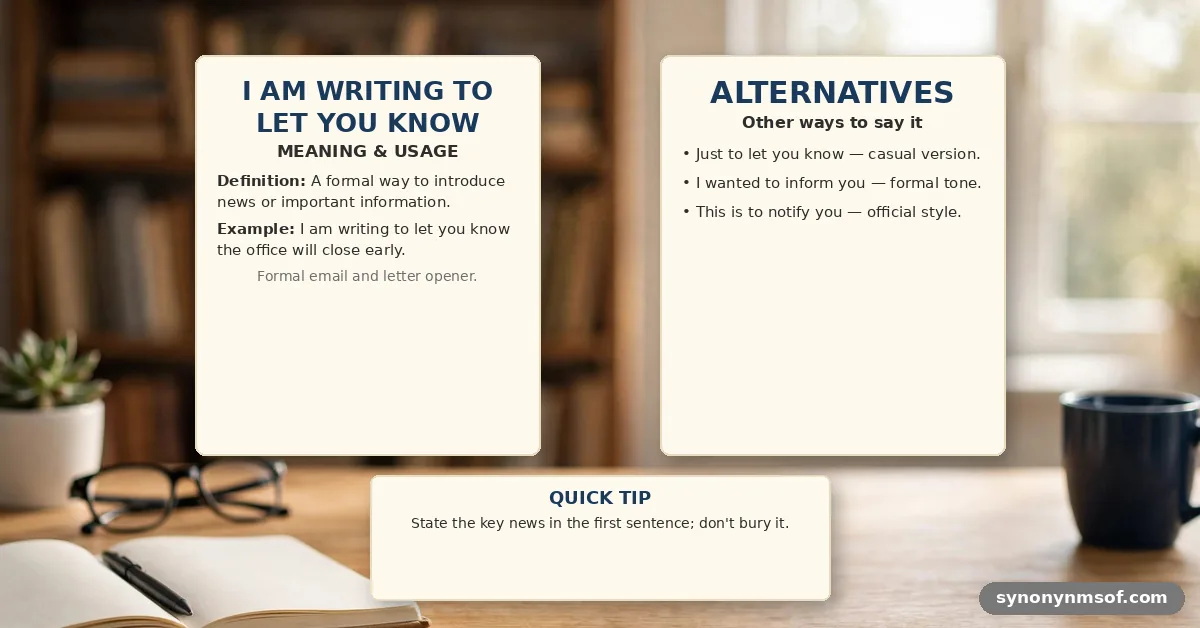

When you open a professional email, you often find the phrase I am writing to let you know right at the start. It serves as a clear, polite bridge between your greeting and the specific update you need to share. Understanding when to use this construction helps you maintain a professional tone without sounding overly stiff or demanding.
Whether you are addressing a client, a manager, or a new contact, choosing the right words ensures your message lands exactly as intended. This guide provides the meaning and practical examples you need to communicate clearly and effectively in your daily correspondence.
Understanding the Core Meaning

At its heart, the phrase is a standard opening used to signal the purpose of your message. It functions as a polite notification, alerting the recipient that you have specific information or an update to provide. By using this structure, you eliminate ambiguity and allow the reader to prepare for the content of your note.
It is a neutral, versatile way to initiate a professional conversation. Unlike more direct or urgent openings, this phrase suggests a collaborative and respectful exchange of information. It works effectively in both internal team communications and external client-facing emails.
Why This Phrase Works
The primary strength of this opening lies in its clarity and predictable nature. Professional communication often benefits from standard structures that do not distract the reader from the actual news being shared. When you use this, you are respecting the reader’s time by getting straight to the point.
It also provides a soft landing for potentially sensitive or complex news. By framing your email this way, you establish a professional boundary that remains friendly and accessible. It is a reliable tool for anyone looking to refine their business writing style.
Selecting the Right Tone
Choosing between variations depends entirely on your relationship with the recipient and the urgency of the information. A simple, direct approach often works best for daily tasks, while more formal phrasing suits executive communication. Consider the following breakdown of tones:
- Direct and Professional: Use this for quick updates to colleagues or managers who appreciate brevity.
- Polite and Soft: Choose this version when sharing news that might require a moment of consideration from the recipient.
- Formal and Authoritative: Reserve this for official announcements or correspondence with external stakeholders.
Common Variations and Alternatives
Language is flexible, and sometimes you may want to adjust your opening to better fit the specific context of your message. While the standard phrase is effective, these alternatives offer different shades of meaning.
| Phrase | Suggested Context | Formality Level |
|---|---|---|
| I am writing to inform you | Official announcements or policy changes. | High |
| I wanted to share an update | Ongoing projects or collaborative work. | Medium |
| I am reaching out to share | Networking or initiating a new discussion. | Medium |
| Just a quick note to share | Casual updates with close teammates. | Low |
Contextual Usage in Emails
When you are drafting an email, the context should dictate your choice of words. If you are writing to a supervisor, you might prefer a slightly more formal tone to demonstrate respect for their position. In contrast, when you communicate with a peer, you can often be more relaxed.
Think about the goal of your message before you type the first sentence. If you need to provide information that requires a specific action, ensure your opening leads naturally into that request. This helps the recipient process your email more efficiently.
Common Mistakes to Avoid
Even in professional settings, it is easy to fall into traps that make your writing sound unnatural. One frequent mistake is using overly complex language that obscures the simple message you intend to convey. Keep your writing clean and focused to avoid confusion.
Another error involves using the phrase when the information is already well known. If you send an update that is redundant, the recipient may feel that your email adds unnecessary clutter to their inbox. Always ensure that the news you are sharing provides genuine value to the reader.
Best Practices for Professional Updates
Clarity should always be your top priority when sending professional correspondence. If you find yourself using the same opener in every single email, consider rotating through a few alternatives to keep your communication style fresh and engaging.
Pay attention to how your recipients respond to your messages. If you notice that certain phrasing leads to quicker or clearer replies, take note of that for your future emails. Being observant about communication patterns is a hallmark of a skilled professional.
Frequently Asked Questions
Is using this phrase considered professional?
Yes, it is widely accepted in business English as a standard, polite way to open an email. It provides a clear signal of your intent without being overly formal or aggressive.
How do I make the phrase sound less repetitive?
You can rotate through variations like I am reaching out to share or I wanted to provide an update. Changing the verb helps keep your writing style dynamic while maintaining a professional standard.
When should I use a more formal alternative?
Use more formal language when you are addressing senior leadership, government officials, or external clients you do not know well. Phrases like I am writing to inform you carry a weightier tone suitable for those interactions.
What is the difference between writing to let you know and writing to inform you?
The former is slightly more conversational and works well for most daily tasks. The latter is more clinical and is best reserved for official notices, legal updates, or formal reports.
Refining Your Communication
Mastering the way you open your emails is a simple but powerful step toward better professional relationships. By choosing the right phrasing, you ensure that your message is received with the clarity and respect you intend. Whether you are providing a status update or sharing important news, the way you frame your opening sets the stage for the entire conversation.
I am writing to let you know that your emails are a reflection of your professional brand, so take the time to choose your words carefully. Practice these variations in your next few messages to see which ones feel most natural to your own voice. Clear communication is a skill that pays dividends, so keep refining your approach as you continue to grow in your career.
SEO Title: I Am Writing to Let You Know: Meaning & Examples
Meta Description: Learn the best ways to use the phrase I am writing to let you know in professional emails, including variations, tone advice, and usage examples.
Suggested URL Slug: i-am-writing-to-let-you-know-meaning-examples
Primary Keyword: I am writing to let you know
Secondary Keywords: let know, writing let, best use, formal, inform, free, information, tone, professional, update, i’m writing, examples, meaning, tip, wanted, english, phrase.