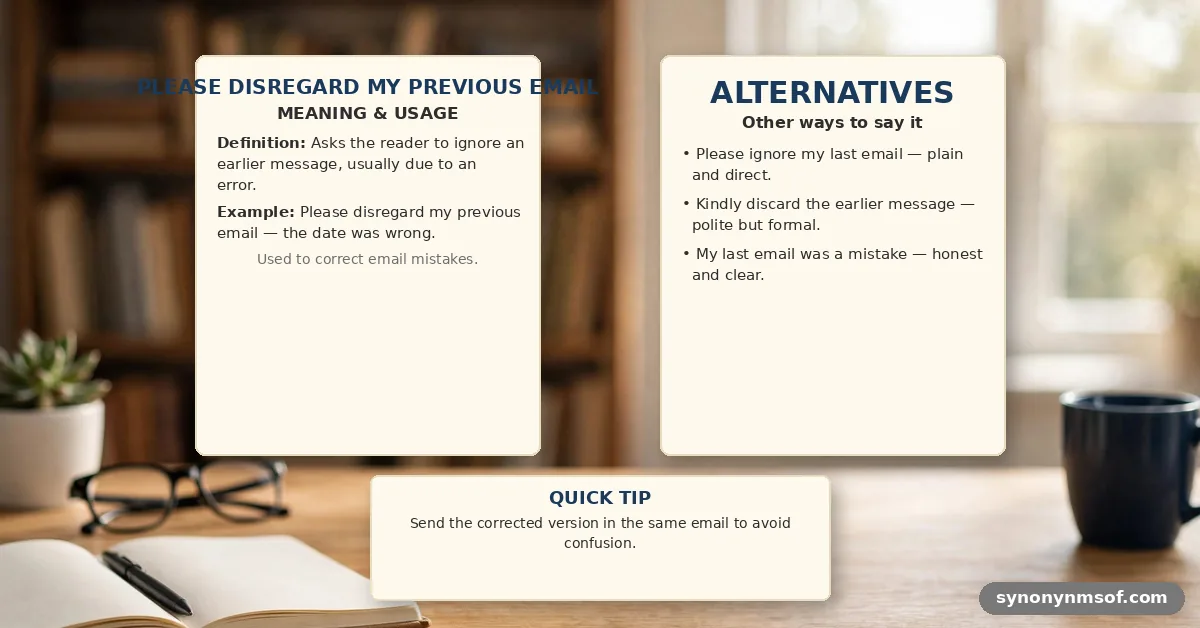

Understanding the professional nuance behind the phrase “Please Disregard My Previous Email: Meaning & Examples” is essential for anyone managing high-volume communication. When you hit send too early, include a broken link, or attach the wrong file, you need a way to correct the record without appearing disorganized. This article provides the definitive breakdown of why this phrasing matters, how to use it correctly, and the specific scenarios where it saves your reputation.
By mastering these corrections, you gain the ability to pivot from a mistake to a polished resolution in seconds. We will explore the practical applications and social etiquette of these messages to help you maintain your professional standing in any office environment.
At its simplest, this phrase functions as a formal retract-and-replace command. It signals to the recipient that the information previously sent is now obsolete, incorrect, or incomplete. Using this language clearly tells your contact that they should prioritize the current communication over the last one they received.
The underlying intent is to prevent confusion. If you sent a proposal with outdated pricing, your immediate follow-up acts as a safeguard. It ensures the recipient does not act on the wrong data, which could otherwise lead to legal or financial complications.
Common Scenarios for Retraction
You will find yourself needing this phrase in specific, high-pressure situations. Knowing which scenario you are in helps you choose the right tone for your follow-up email.
- Sending an email with a missing attachment or the wrong file version.
- Providing incorrect meeting details, such as a wrong Zoom link or time zone.
- Including inaccurate data or financial figures that were corrected after the initial send.
- Accidentally replying to the wrong thread or including an unintended recipient.
- Noticing a significant typo or tone issue immediately after hitting the send button.
Professional Email Correction Strategies
When you decide to retract a message, speed is your primary asset. You want to send the correction before the recipient has had time to process the first, faulty email.
Maintaining a Calm Tone
Do not over-apologize. A brief, direct acknowledgment of the mistake is more professional than a lengthy, emotional explanation. Keeping it simple shows you are in control of the situation and respect the recipient’s time.
Structuring the Correction
Your subject line should be clear and descriptive. Include the original subject line followed by a note like “Correction” or “Update.” This helps the recipient identify the thread immediately without needing to open the original message to understand what changed.
Comparison of Correction Phrases
Not all retractions carry the same weight. Choosing the right words depends on your relationship with the recipient and the severity of the error.
| Phrase | Context | Professionalism Level |
|---|---|---|
| Please disregard my previous email | General, formal, high-stakes | High |
| Please ignore the previous attachment | Specific file error | Neutral |
| Oops, please ignore my last note | Casual, internal team | Low |
| Please replace the previous draft | Collaborative document editing | High |
Examples for Formal Business Environments
In formal settings, you must be precise. Your goal is to minimize the disruption caused by the error while maintaining your authority.
For a missing attachment, you might write: “Please disregard my previous email; I realized I omitted the budget spreadsheet. Please find the correct file attached here for your review.” This is effective because it names the specific missing item.
When correcting data, try: “Please disregard the figures sent in my previous email. I have updated the quarterly projections to reflect the final audit numbers attached below.
I apologize for any confusion caused by the premature send.” This approach takes responsibility without groveling.
Handling Internal Team Communication
Internal emails often allow for a slightly more relaxed tone, but accuracy remains critical. You want to ensure your colleagues stay aligned on the latest information.
Use a direct approach to save time. “Team, please ignore the previous message regarding the project timeline. I have uploaded the updated schedule to our shared drive to account for the new vendor availability.”
Always ensure your team knows exactly where to find the source of truth. If you have a project management tool, point them there rather than just sending another email. This reduces the risk of multiple versions floating around in people’s inboxes.
The Etiquette of Timing
The timing of your correction is as important as the wording. If you notice an error within seconds, send the follow-up immediately.
If hours have passed, you must assume the recipient has already read the first email. In these cases, you need to explicitly state what they should discard. “Please disregard the previous email regarding the client contract, as the terms have been superseded by this version.”
Waiting too long creates more work for the recipient. If you realize an error late, it is often better to follow up with a phone call or a direct message to ensure they do not act on the wrong information.
When to Avoid the Phrase
Sometimes, drawing attention to a minor error is unnecessary. If you made a small typo that does not change the meaning of your email, leave it alone. A quick proofread also catches mix-ups like tear or tare that spellcheckers often miss.
A corrected “the” instead of “teh” does not warrant a second email. Your recipient will likely not notice, or they will simply correct it in their mind. Over-correcting can make you appear anxious or overly focused on trivial details. Similar mix-ups, like confusing thier or their, are worth a second look before you hit send.
Use the “disregard” phrasing only when the error has functional consequences. If the recipient might make a bad decision based on your mistake, you must speak up. Otherwise, let it go.
Digital Hygiene and Draft Management
You can prevent the need for these emails by changing how you write. Always double-check your recipient list and attachments before your finger touches the send key. The same habit settles word-choice doubts such as smelled or smelt in descriptive passages.
Use a “drafts” folder for sensitive documents. Keep your email window closed until you have double-checked the attachments against your file names. This simple pause is the most effective way to maintain your professional reputation. That pause also gives you time to fix spelling questions like smoky or smokey before you hit send.
If you are prone to hitting send too early, set a delay on your email client. Most modern platforms allow you to hold messages for 30 to 60 seconds. This window is often enough to catch a mistake before it leaves your outbox.
Biblical Perspectives on Communication
Clear and honest communication is a theme found throughout history. The book of Proverbs reminds us that a timely word is like gold in a silver setting, emphasizing the value of precision.
Proverbs 15:23 suggests that saying the right thing at the right time is a source of joy. When we correct our mistakes with humility and grace, we uphold this principle by valuing the recipient’s clarity over our own ego.
Similarly, Colossians 4:6 advises that our speech should always be gracious and seasoned with salt. This implies that even when we are correcting a mistake, our tone should remain helpful and constructive rather than defensive.
FAQ: Common Questions About Retracting Emails
Is it ever okay to just ignore my own mistake?
If the mistake is purely cosmetic, like a small typo that doesn’t change the message, it is usually better to ignore it. Sending a follow-up for minor errors can clutter the recipient’s inbox and make you appear overly anxious.
What if the recipient has already replied to the wrong email?
You should acknowledge their reply and immediately clarify the situation. “Thanks for your quick response; however, please disregard my previous email as the data within it was incomplete. Please refer to this updated version instead.”
How do I handle a mistake that was sent to a large group?
Transparency is key when dealing with large distribution lists. Use a clear, professional subject line, and keep the body of the email brief. Ensure the correction is the very first thing you address so it isn’t missed.
Is “Please disregard” considered rude?
It is not inherently rude, but it can sound abrupt if not paired with a polite opening. Always include a brief apology or a “thank you for your patience” to soften the tone and maintain a professional relationship.
Should I use this phrase in Slack or Teams?
For instant messaging, you can often just edit your original message if the platform allows it. If you cannot edit, a quick follow-up message with the correction is standard practice.
Conclusion
Mastering the use of professional retractions ensures that your communication remains a tool for clarity rather than a source of confusion. Whether you are dealing with a simple attachment error or a major data discrepancy, knowing how to handle these moments effectively protects your reputation. Using the phrase “Please Disregard My Previous Email: Meaning & Examples” correctly means you value the recipient’s time and accuracy above your own comfort.
Remember that everyone makes mistakes, but how you resolve them defines your professional character. By staying calm, being direct, and acting quickly, you ensure that your message is always received as intended.
Start implementing these strategies today to keep your professional correspondence precise, reliable, and clear. Feel free to reach out if you need further advice on handling complex workplace communications.