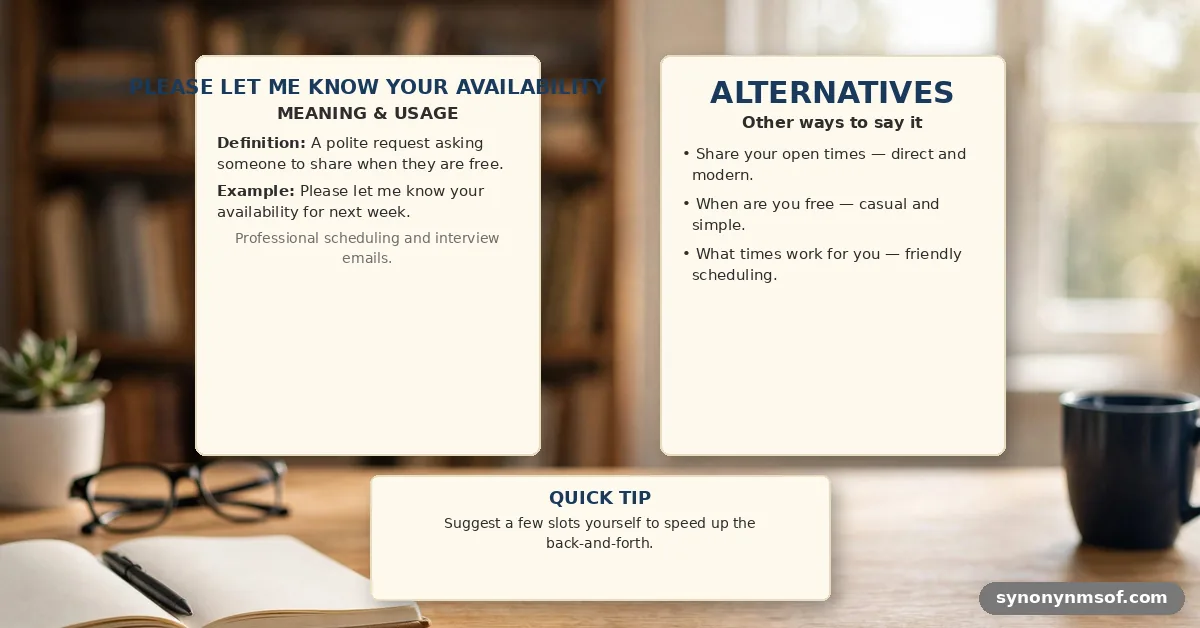

When you need to coordinate a time to meet, writing “please let me know your availability” is a standard and effective way to initiate the process. This phrase signals that you are respectful of the other person’s calendar while moving the conversation toward a concrete outcome. Mastering how and when to use this request can save you significant time during the scheduling process.
You’ll find that being clear and direct in your communication helps avoid back-and-forth emails that often clutter an inbox. By providing context and specific windows, you make it easier for the recipient to respond quickly. This article explores how to refine your approach to scheduling so you can secure meetings with greater efficiency.
The Proper Context for Scheduling Requests

Using the phrase “please let me know your availability” works best when you have already established a reason to connect. It is a polite call to action that shifts the burden of decision-making toward the person whose time is most limited. If you are the one seeking a meeting, you should always provide a brief agenda or purpose before asking for their schedule.
Context is everything in business communication. If you simply send a vague request, the recipient may feel overwhelmed or uncertain about the priority level of the meeting.
Always include a short explanation of why the discussion is necessary or what you hope to achieve. This helps the other person prioritize your request against their other daily commitments.
When to use this phrasing
You should deploy this language during the middle or end of an email chain. It serves as a natural closer that moves the conversation from the abstract to the concrete.
For instance, if you are planning a project kickoff, wait until you have identified the key participants before asking for their time. This ensures you aren’t asking for availability that might become irrelevant if the participant list changes.
Avoid using this phrase in the very first sentence of a cold email. It can come across as demanding if the recipient doesn’t yet know who you are or what you want.
Establish value first, then ask for the time as a necessary step to move forward. This sequence builds trust and makes the request feel like a collaborative step rather than a chore.
Best Practices for Writing Professional Emails
Efficiency in scheduling often comes down to how much information you provide upfront. Instead of forcing the recipient to look at their entire week, suggest a few specific time blocks that align with your own schedule. This reduces the cognitive load on the recipient, as they only need to check if those specific slots work for them.
When you offer choices, you provide a path of least resistance. People are much more likely to reply quickly if they can simply say “Tuesday at 2:00 PM works for me” rather than having to open their calendar and scan for gaps. This technique is a cornerstone of effective time management in a professional environment.
- State the purpose of the meeting clearly in the first paragraph.
- Propose 2-3 specific time slots with your time zone included.
- Keep the request for availability at the end of the message.
- Confirm the duration of the meeting so they know how much time to block off.
- Use a clear, descriptive subject line to ensure the email isn’t ignored.
Comparing Scheduling Approaches
Different situations call for different levels of formality. When you are writing to a superior or a client, you might want to adjust your tone to be more deferential. Conversely, communicating with a teammate allows for more brevity and directness.
| Context | Recommended Phrasing | Tone |
|---|---|---|
| Formal (Client/Executive) | “Please let me know your availability for a brief call next week.” | Respectful |
| Internal (Peer/Team) | “What time works best for you to sync on this?” | Casual |
| Urgent/Project-based | “Could you provide your availability for Wednesday or Thursday?” | Direct |
Managing Time Zone Differences
One of the biggest pitfalls in global scheduling is failing to specify the time zone. If you send a request without this detail, you invite confusion and potential missed meetings. Always include the specific time zone, such as EST, GMT, or PST, to ensure both parties are on the same page.
If you are working across multiple regions, consider using a tool like Time and Date to verify the local time for your recipient. Providing a conversion or stating your own time zone clearly prevents the back-and-forth that occurs when someone has to guess where you are located. It shows you are considerate of their geography and logistics.
Handling Responses and Follow-ups

Once you send the request, you must manage the follow-up process with patience and professionalism. If you haven’t heard back within two or three business days, it is acceptable to send a polite nudge. Keep this follow-up brief and avoid sounding accusatory; simply reiterate that you are looking forward to the discussion.
Sometimes, the lack of a reply isn’t a sign of disinterest but rather a sign of a busy schedule. If they provide a time that doesn’t work for you, be flexible and offer an alternative rather than insisting on your original choice. The goal is to reach a mutual agreement that respects both parties’ workflows.
What to do if they don’t reply
If a week passes without a response, it is often best to move on or try a different communication channel. Some people are simply better at responding to instant messages or phone calls than emails. If the meeting is non-essential, you might also consider whether an email update could replace the need for a live meeting entirely.
Using Scheduling Tools Effectively
Modern scheduling tools have changed the way we handle requests for availability. Instead of manually emailing back and forth, many professionals now share a link to their calendar. This allows the other person to pick a slot that fits their own schedule, which effectively automates the process.
However, you should still use a professional introduction before dropping a link. Sending a naked calendar link without any context can feel impersonal and dismissive. Combine the best of both worlds by writing a polite, personalized message and then offering the scheduling link as a convenient, time-saving option for them.
Common Pitfalls in Professional Communication
One common mistake is being too vague with your request. Asking “When are you free?” is often too broad and forces the recipient to do the heavy lifting of sorting through their week. Instead, narrow the scope by asking for availability within a specific timeframe, such as “next Tuesday or Wednesday.”
Another pitfall is failing to specify the meeting format. Are you looking for a phone call, a video conference, or an in-person meeting?
Clarifying the medium helps the recipient prepare correctly. If you need them to prepare documents or review materials beforehand, mention that now so they can factor that into their schedule.
The Importance of Professional Tone
The words you choose reflect your level of professionalism and respect for the other person’s time. Using “please” and “thank you” might seem basic, but they go a long way in building rapport. Your request for their time is essentially a request for a portion of their career, so treat it with the appropriate gravity.
Maintain a balance between being firm enough to get a result and kind enough to keep the relationship positive. Avoid overly aggressive language that implies their time is less valuable than yours. A collaborative, solution-oriented tone will yield the best results for your professional networking and daily project management.
Frequently Asked Questions
Is it rude to ask for availability?
Asking for availability is standard professional conduct and is not considered rude when done politely. The key is to provide enough context so the recipient understands why the meeting is necessary. As long as you respect their time and provide clear options, it is a perfectly acceptable request.
How do I ask for availability if I am the one being asked?
If someone asks you for your availability, the best approach is to be specific. Provide two or three windows when you are free, and mention your time zone. If you are extremely busy, it is also acceptable to suggest a time further out or ask them to send their calendar link so you can find a slot that works for both.
What if I am not available at the times they suggested?
If the times they proposed don’t work for you, simply state that those slots are booked. Offer a few alternative times that fit your schedule better.
It is helpful to be proactive by suggesting specific blocks rather than just saying “I’m busy.” This shows you are still interested in making the meeting happen.
Should I include a meeting link in my first email?
Including a link to a video call or a meeting booking tool in the initial request is often very helpful. It removes the need for extra emails once a time is agreed upon. Just ensure that the link is clearly marked so the recipient knows what it is for before they click on it.
Conclusion
Mastering the art of scheduling is a subtle but vital skill in any professional environment. By knowing exactly when and how to ask for someone’s time, you demonstrate that you value their schedule as much as your own.
Whether you are coordinating a high-stakes client meeting or a simple team sync, being clear, concise, and considerate will always lead to better results. Remember to include your time zone, provide a few specific options, and always frame your request within the broader context of your goals.
As you refine your approach, you will find that managing your professional commitments becomes much easier. Please let me know your availability for future projects or discussions by applying these simple, effective techniques to your daily communication. A thoughtful, well-structured request is often the first step toward a successful partnership.