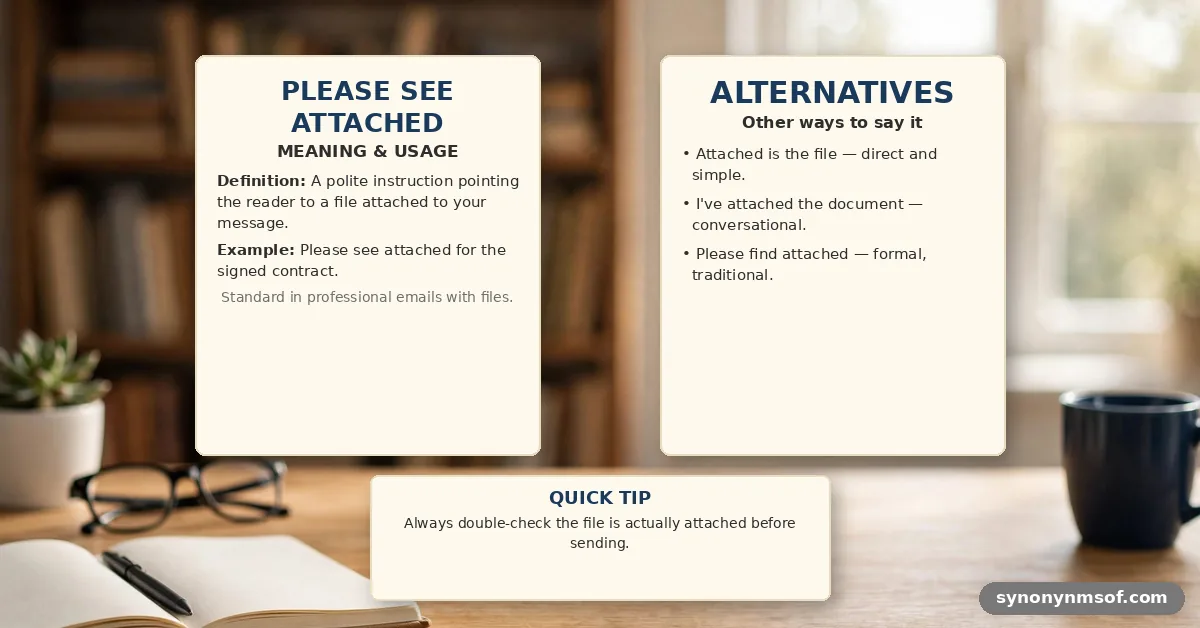

Finding the right phrasing when sending documents is a common hurdle, but using please see attached: professional alternatives and examples can immediately improve your email clarity. The most direct and professional way to replace this phrase is simply to state what the document is, such as, “I have attached the quarterly report for your review.”
By focusing on the content rather than the act of attaching, you create a more active and engaging message for the recipient. This article explores why specific phrasing matters and provides you with actionable templates for various workplace scenarios.
Effective communication relies on precision and context, which is why relying on stock phrases often weakens your professional impact. You will gain a deeper understanding of how to frame your attachments to drive action and ensure your emails stand out in a crowded inbox. By moving away from redundant language, you show respect for your reader’s time and demonstrate a clearer intent behind every file you share.
When you want to be clear and concise, the best approach is to lead with the action you want the recipient to take. Instead of pointing to the attachment as an afterthought, make it the focus of your sentence. This shift ensures the recipient knows exactly what they are looking at and why they need to open it.
Consider these examples for your daily correspondence:
- “I have attached the signed contract for your records.”
- “The project proposal you requested is attached to this email.”
- “Please find the updated budget sheet attached for your feedback.”
- “Attached is the slide deck we discussed during our meeting yesterday.”
- “You will find the requested invoices in the attached document.”
These alternatives remove the passive nature of “please see attached.” They provide context immediately, which helps the recipient prioritize the email. When you use these phrases, you are guiding the reader’s attention toward the value you are delivering rather than just the file transfer process.
Context-Specific Phrasing for Different Scenarios
The tone of your email should change based on who you are messaging and the importance of the document. A quick note to a close colleague should sound different from a formal request to a client or a senior executive. Understanding these nuances helps you maintain a professional image in every situation.
For formal requests, you might use more structured language that emphasizes the purpose of the attachment. If you are sending a document as a follow-up to a conversation, referencing that conversation directly adds a layer of professionalism. Using specific, descriptive language prevents confusion and ensures your attachment does not get ignored.
| Recipient | Preferred Phrasing | Tone |
|---|---|---|
| Close Colleague | “Here’s the file you asked for.” | Casual |
| Client | “I’ve attached the final deliverables for your review.” | Professional |
| Senior Executive | “The requested report is attached for your consideration.” | Formal |
| Project Stakeholder | “I have included the project timeline in the attached file.” | Direct |
Avoiding Passive Language
Passive voice often makes writing feel distant and impersonal, which is why it is best to avoid it when possible. Phrases like “please find attached” are remnants of older, more formal business correspondence that no longer fit the modern pace of communication. By using active verbs, you take ownership of the email and its contents.
Think about the difference between “The report is attached” and “I have attached the report.” The second version is active and clearly indicates that you are the one providing the information. This small tweak makes your communication feel more human and deliberate.
Even the principles of active voice in writing emphasize the importance of clarity and directness. When you use active phrasing, you eliminate ambiguity. You are telling the reader exactly what to do and what to expect from the document you have provided.
The Importance of Subject Lines
Your subject line is the first thing a recipient sees, and it should provide enough context that they don’t even need to open the email to know what is inside. If you are sending a critical document, the subject line should reflect that urgency or importance. A vague subject line like “Attached document” is often overlooked or deleted.
Try using subject lines that include the document name and the action required. For example, “Feedback Requested: Q3 Marketing Plan” is much more effective than “Please see attached.” This approach respects the recipient’s inbox management and ensures your email reaches the right level of priority.
When to Use Attachments vs. Links
Sometimes the best alternative to an attachment is a link to a shared drive or cloud-based platform. Attachments can clutter mailboxes and often lead to version control issues if multiple people are editing the same file. Using a link ensures everyone is looking at the most current version of the document.
If you choose to use a link, frame it just as you would an attachment. Say something like, “You can access the latest version of the project plan via this link.” This keeps the professional tone while utilizing modern tools that improve efficiency and collaboration across teams.
Handling Multiple Attachments
Sending multiple files can be overwhelming if you don’t provide clear instructions on what each file contains. Avoid dumping files into an email without explanation. Instead, list the contents and explain why each file is included in your message.
Use a simple list to guide the reader through your attachments. For example, “I have attached three files: the proposal, the budget spreadsheet, and the legal appendix.” This clarity prevents the recipient from having to guess which file is the most important or where to start their review process.
Maintaining Professionalism in Follow-Ups
When you need to send a follow-up email because a recipient hasn’t acknowledged an attachment, be careful not to sound accusatory. You can use this as an opportunity to reiterate the value of the document you sent. Often, people miss emails simply because they are busy, not because they are ignoring you.
Frame your follow-up by offering assistance or asking if they have any questions about the contents. You might say, “I wanted to ensure you received the report I sent on Tuesday and see if you have any questions.” This approach is helpful and professional, keeping the door open for productive communication.
Incorporating Biblical Principles in Communication
Professional integrity often reflects the values one holds in their personal life, including the importance of clear and honest speech. The book of Colossians 4:6 advises that our speech should always be gracious and seasoned with salt, which implies that our words should be both pleasant and purposeful. Applying this to business communication means ensuring your emails are helpful and easy to understand.
Proverbs 15:23 also reminds us that a word spoken in due season is good. This suggests that timing and clarity are vital parts of effective interaction. When you are deliberate about how you present your documents, you are practicing a form of professional stewardship that honors the time of your colleagues and clients.
Formatting for Readability
The way you format your email impacts how easily it is consumed by the recipient. Use short paragraphs and clear, distinct points to make your message scannable. Most people skim emails, so putting the most important information at the top is a standard best practice.
If you have a lengthy explanation, consider using bullet points to break up the text. This makes the email less intimidating to read and ensures your main points are not lost in a wall of prose. Keep your formatting consistent and clean to maintain a professional appearance.
Addressing Technical Issues
Sometimes attachments fail to send or the recipient cannot open them. If you receive a notification that a file is corrupted or missing, address it immediately and professionally. A simple, “I apologize for the technical issue; I have re-attached the file correctly,” is all that is needed.
Don’t over-explain the technical error, as it can sound like you are making excuses. Simply provide the correct file and ensure you are responsive to any further concerns. This shows that you are reliable and capable of resolving problems quickly when they arise.
The Evolution of Email Etiquette
Email etiquette is constantly changing, and what was considered standard ten years ago may feel outdated today. The trend is moving toward shorter, more direct communication. Being aware of these shifts allows you to adapt your style to remain effective in your professional environment.
Observe how your peers and superiors communicate. If they favor brevity, mirror that style in your own emails. While maintaining your unique voice, you should aim to align with the communication norms of your workplace to ensure your messages are well-received and effective.
FAQ
Is “please see attached” considered unprofessional?
It is not necessarily unprofessional, but it is considered lazy and outdated in many modern workplaces. It places the burden of context on the recipient rather than the sender. Using more descriptive language shows you are intentional about your communication.
What is the most polite way to send an attachment?
The most polite way is to explain the purpose of the attachment clearly. Instead of using a vague phrase, describe what the file is and why you are sending it. For example, “I have attached the meeting minutes for your review” is both polite and informative.
Should I use “please find attached” or “please find the attached”?
Both are grammatically acceptable, but both are passive and often unnecessary. It is generally better to avoid both phrases in favor of active, direct sentences. For instance, “I am attaching the report” is more concise and active than “Please find the attached report.”
How do I make my email stand out when sending attachments?
Focus on a clear subject line and a concise, action-oriented message. If you clearly state what the recipient needs to do with the attachment, they are more likely to engage with it. Providing value in the body of the email ensures your attachment is seen as a priority.
Final Thoughts
Mastering your email communication is an ongoing process that significantly influences your professional reputation. By moving away from generic phrases and toward clear, descriptive language, you ensure your message is always received as intended. Whether you are sending a simple document or a complex project proposal, the way you frame your attachments demonstrates your attention to detail and your respect for the recipient’s time.
Take the time to review your outgoing emails and replace any instances of please see attached: professional alternatives and examples with more active, engaging phrasing. You will likely notice a difference in how quickly your colleagues respond and how much clearer your instructions become. Continue to refine your approach, and you will find that better communication leads to more successful professional relationships and improved workplace productivity.